ADY-W2000 DMX512 Address Code Writer | SPI LED Controller | DMX512 LED Controller
W2000 All-in-One LED Controller [Supports SPI and DMX512]

Product Description:
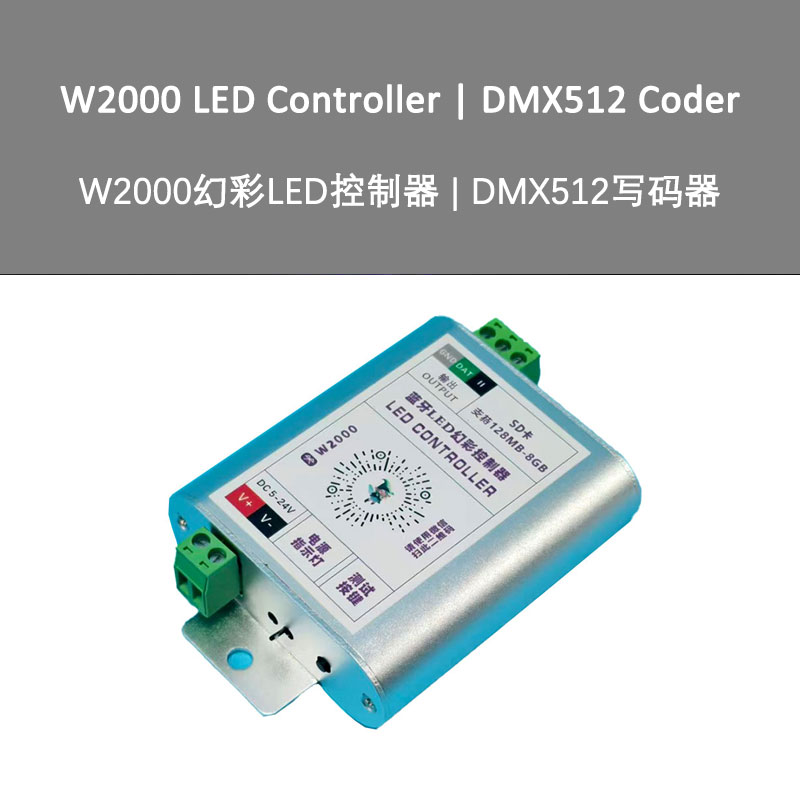
■ The W2000-BT is a Bluetooth controller.
■ This controller comes in a single-port output version.
■ Built-in Bluetooth communication module, which can be scanned with a phone to enter WeChat mini programs, match controllers, and set parameter switching effects.
■ Controller effects can be set using the remote control.
■ Supports SD memory cards (128MB-2GB), FAT32, FAT16 formats.
■ Supports DMX512 chip lighting fixture coding. [DMX512 Code Writer]
■ Supports driver IC switching, supporting single-wire or dual-line operation of colorful lighting fixtures.
■ Single-channel enhanced TTL level signal or RS485 differential signal output, with maximum control of 1020 pixels.
Fully supports various TTL colorful light strips and DMX512 colorful lighting fixtures:
Product Specifications:
■ Operating voltage: DC5 – 24V
■ Input signals: BT Bluetooth signal, remote control signal
■ Output signal: TTL level signal / RS485 differential signal
■ Pixel load: [RGB] 1920 pixels / [RGBW] 1440 pixels
■ Operating temperature: -20°C – 55°C
■ Protection rating: IP20
■ Accessories: SD memory card x 1 (optional)
■ Product dimensions: L99 x W71 x H24mm
■ Product weight: 100g
Controller interface and indicator light description:
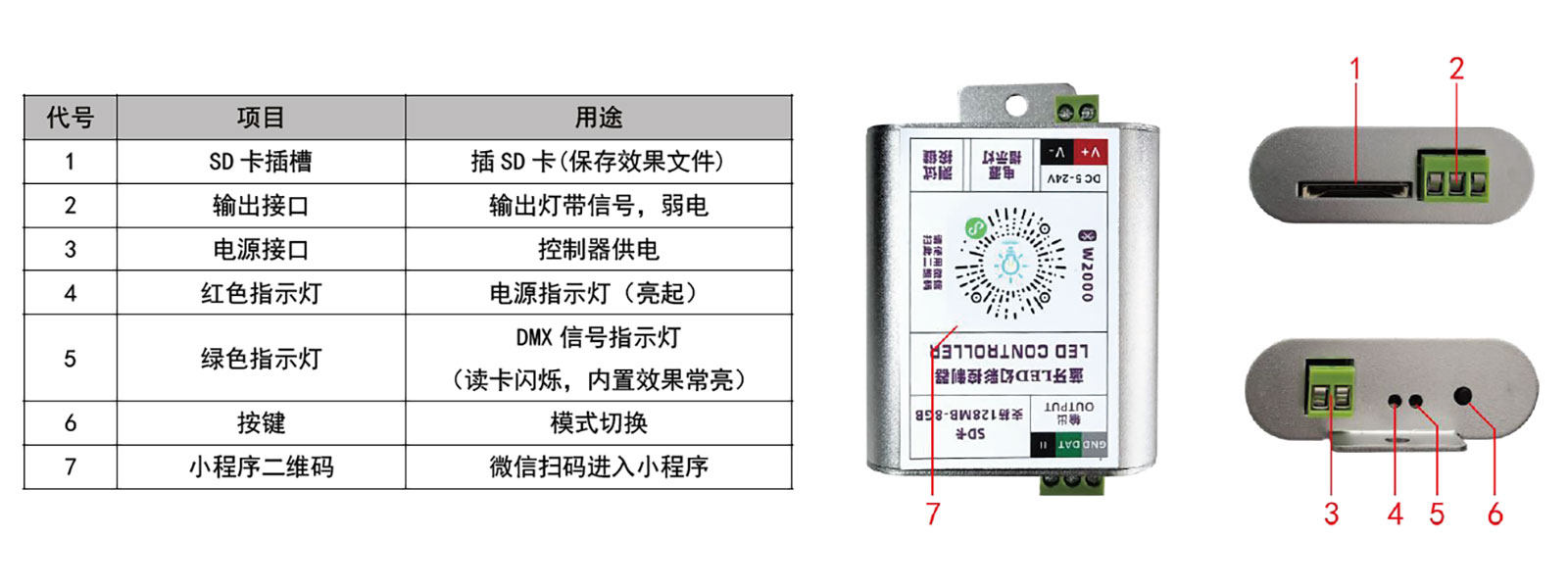
■ Single point controller mode switch key switches to lighting test mode
■ There are 8 test modes: Black Field – White Light – White Light Breathing – Red – Green – Blue – Rainbow Jump – Single Point Elemental Stacking
Wiring instructions:
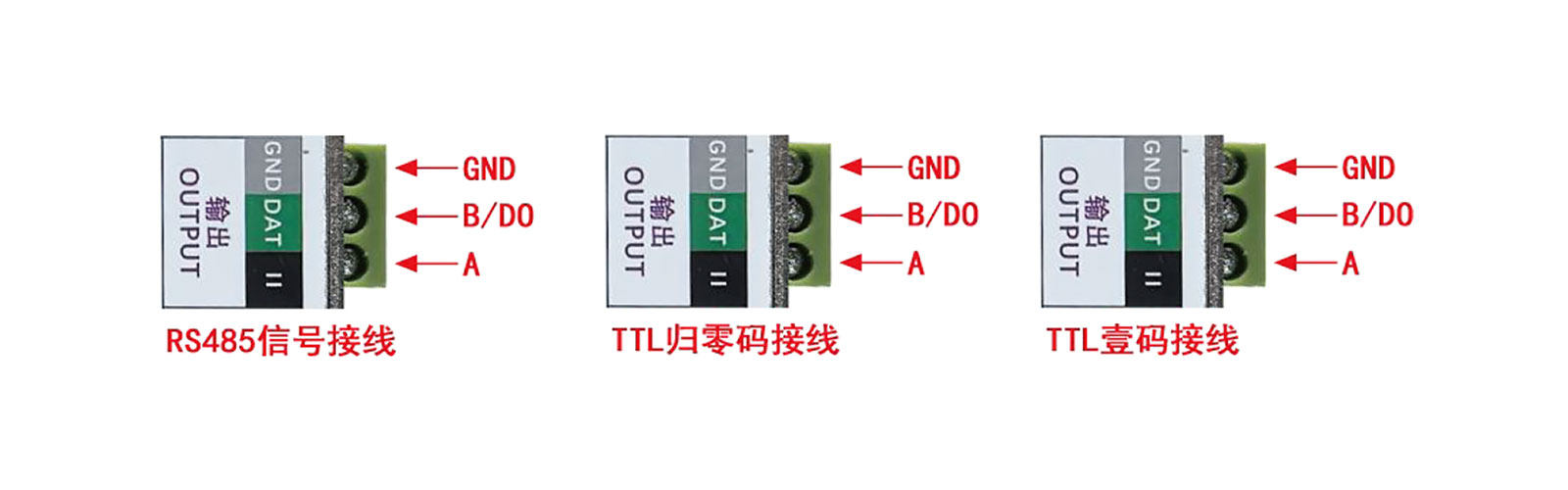
输出DMX512/HDMX/TM512/UCS512/SM16512 控制信号(差分RS485)时,
需要三根线;输出WS2811/TM1804/UCS1903/GS8206 等控制信号(TTL)时,需要两根线。
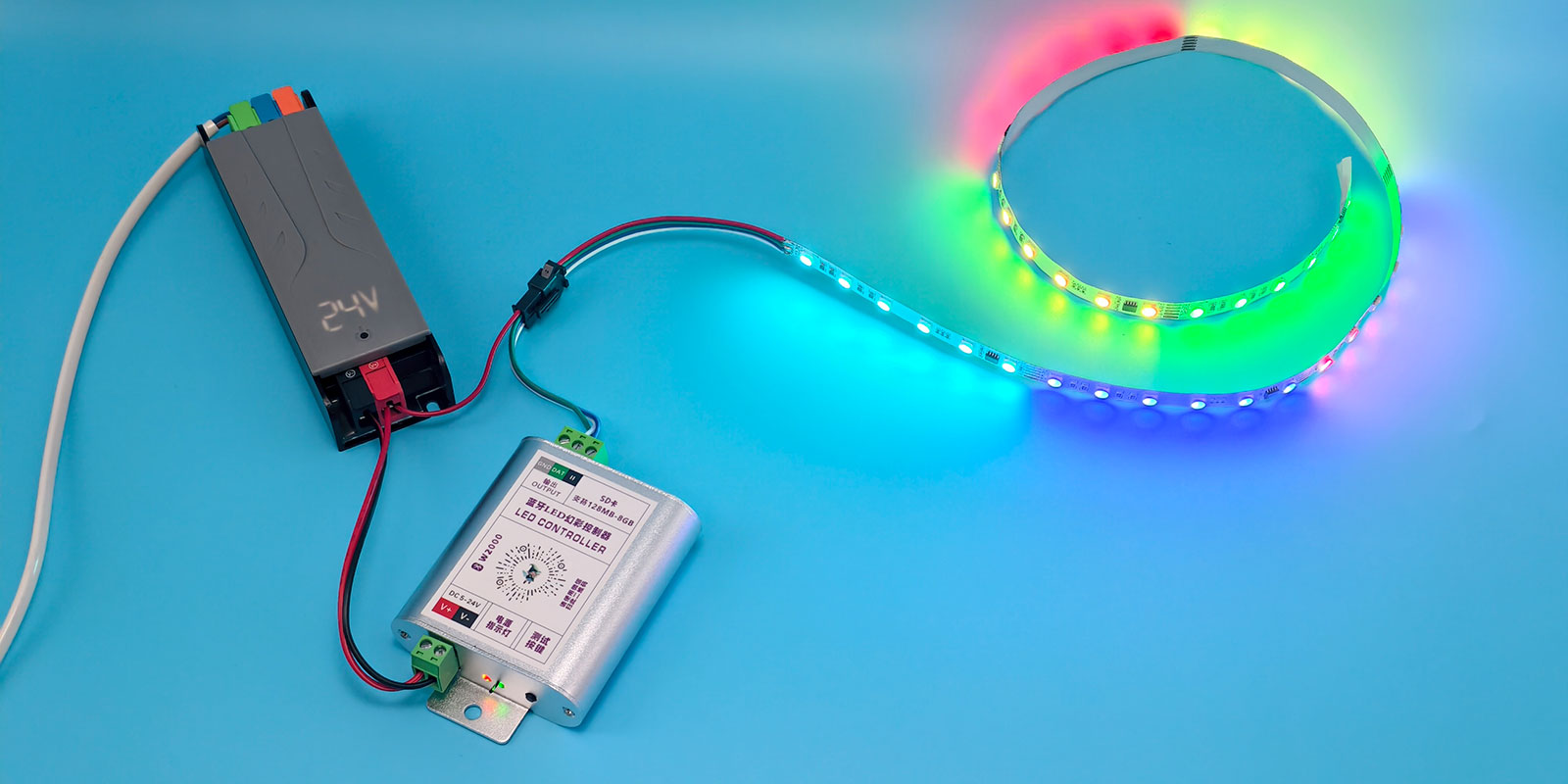
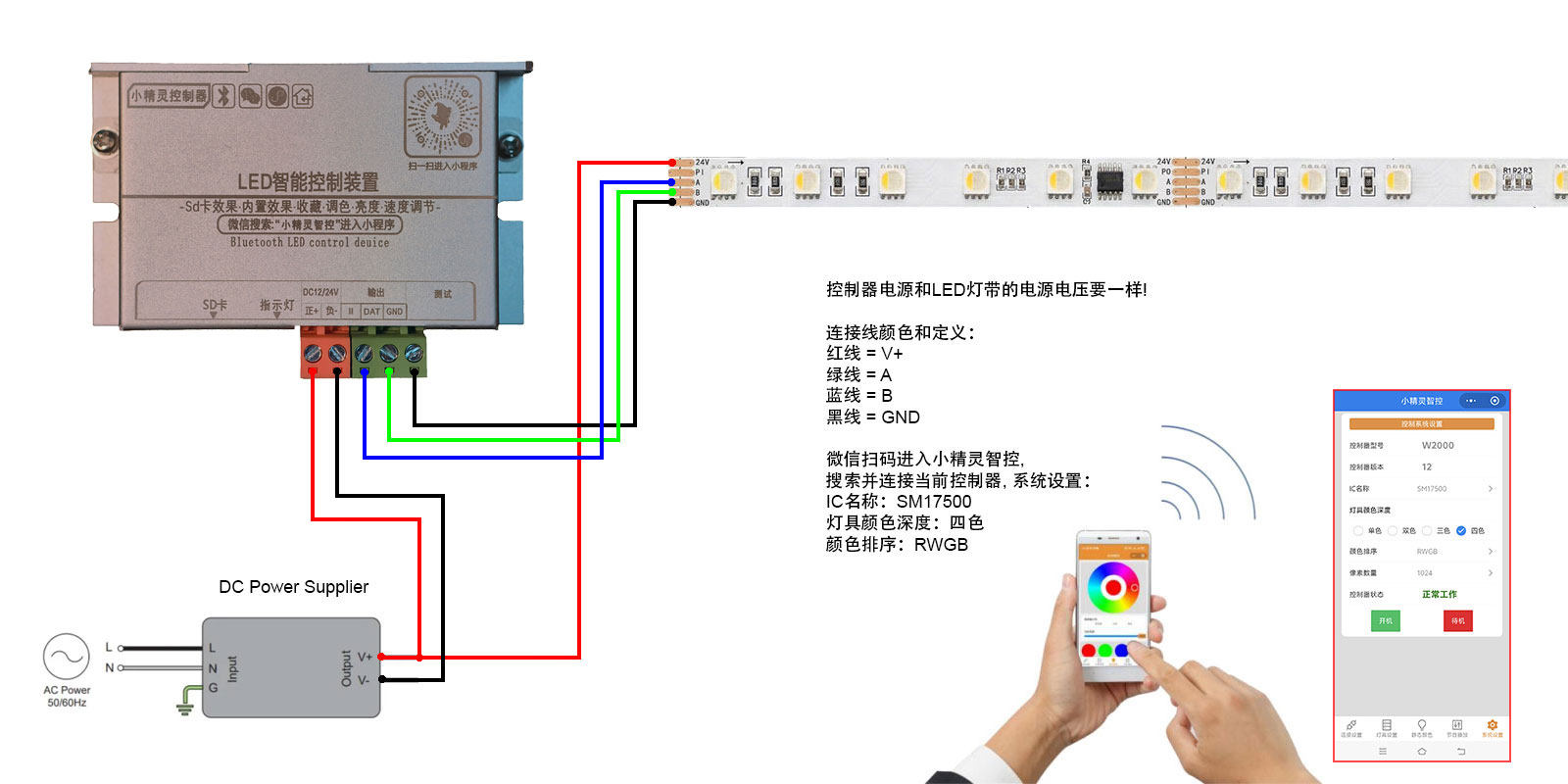
Topology Diagram Used on the W2000-BT:
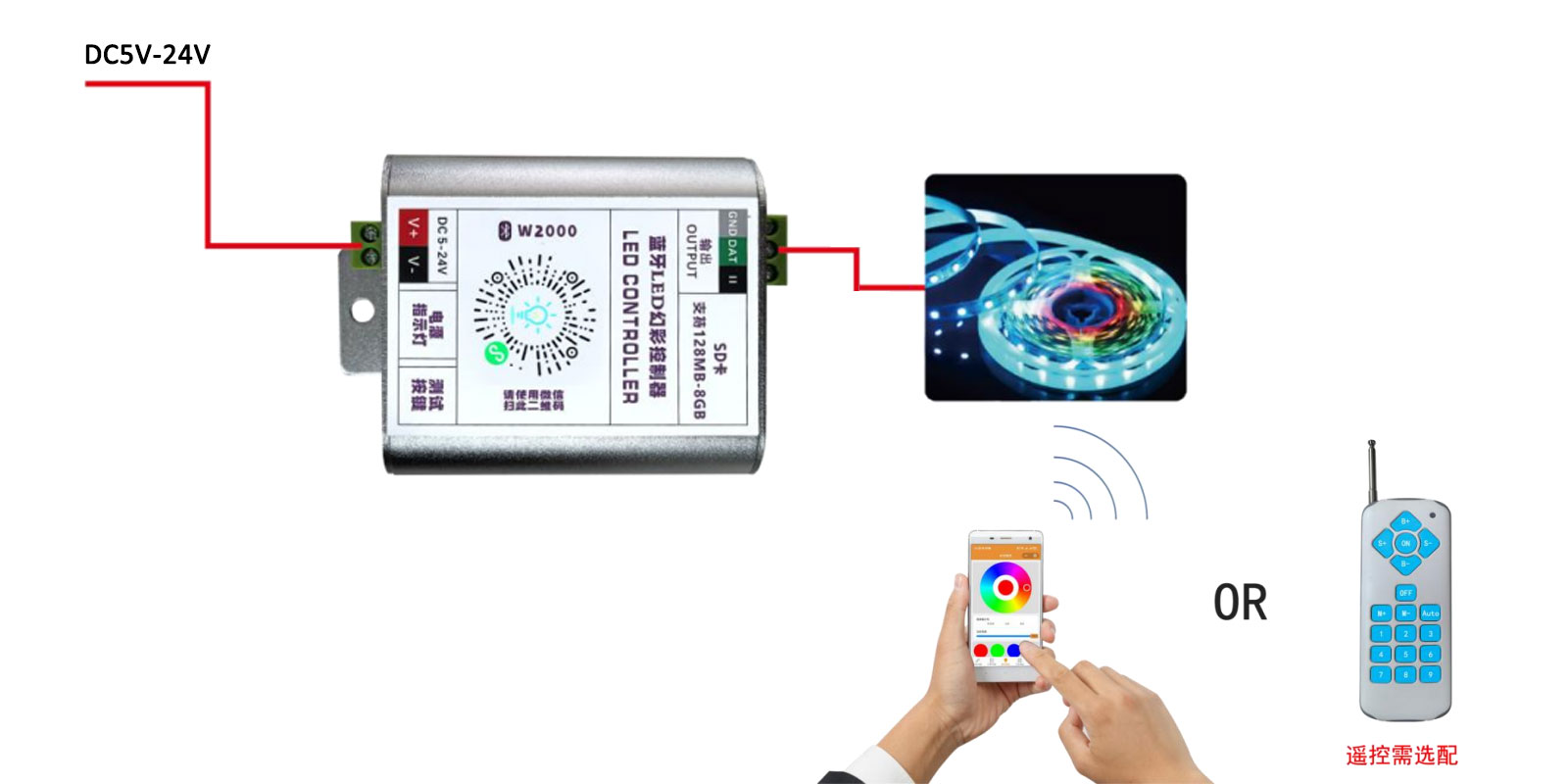
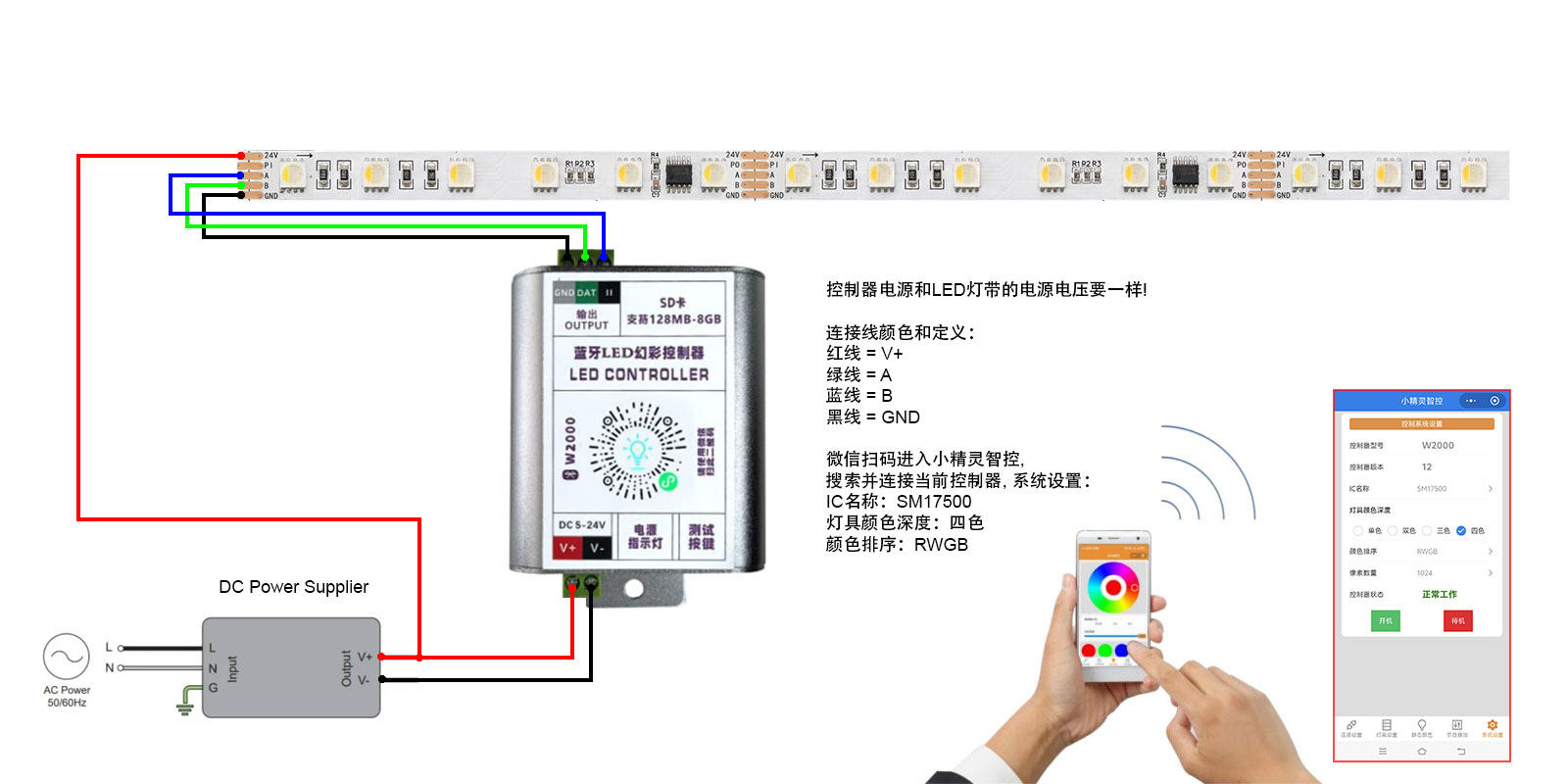
Scan the QR code with WeChat on your phone to enter the mini program and pair with the controller, then enter Bluetooth connection mode:
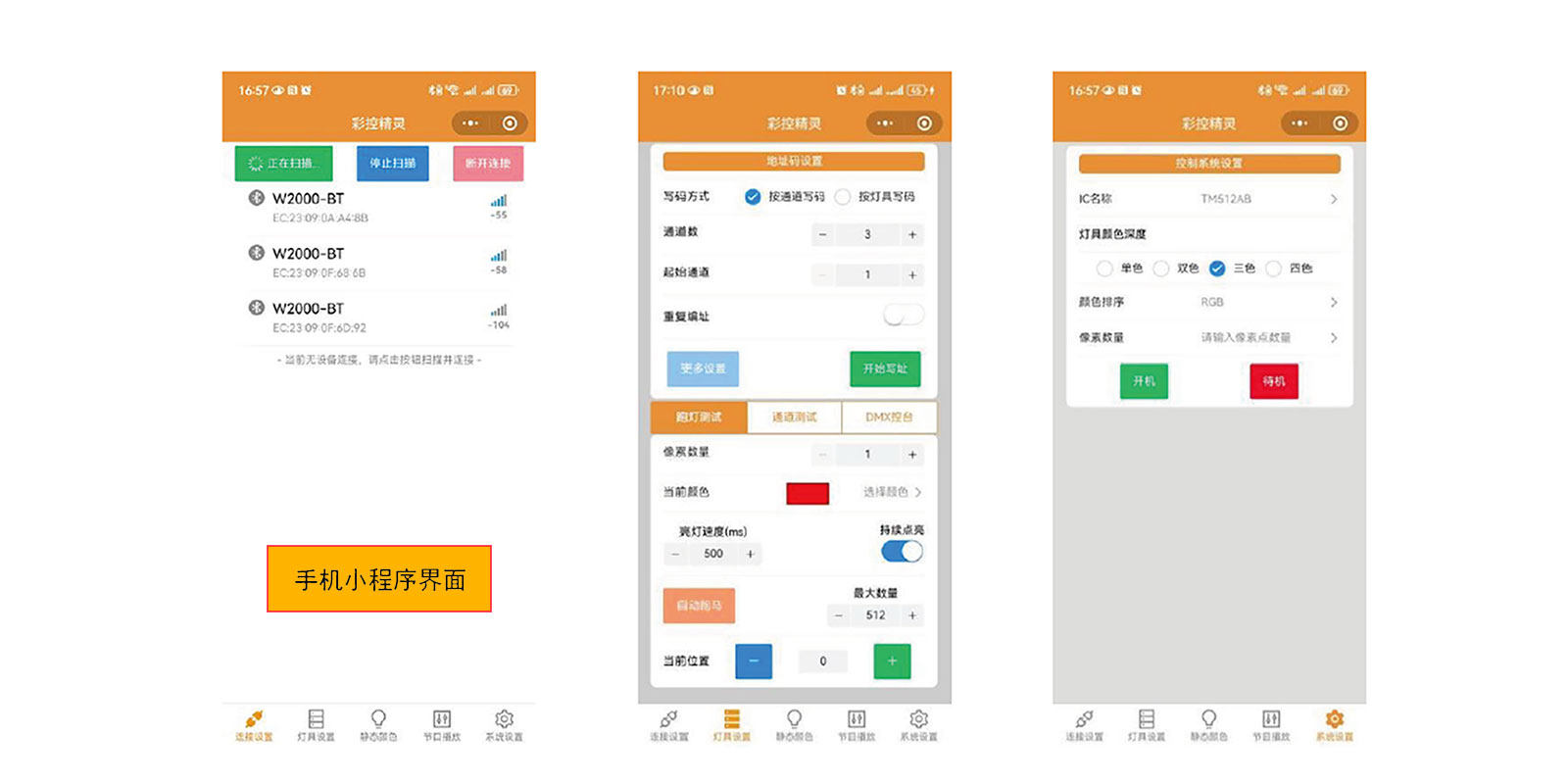
(1). Turn on Bluetooth and location functions on your phone, scan the WeChat QR code to enter the mini program.
(2). Connect device interface – Search for nearby devices – Connect device.
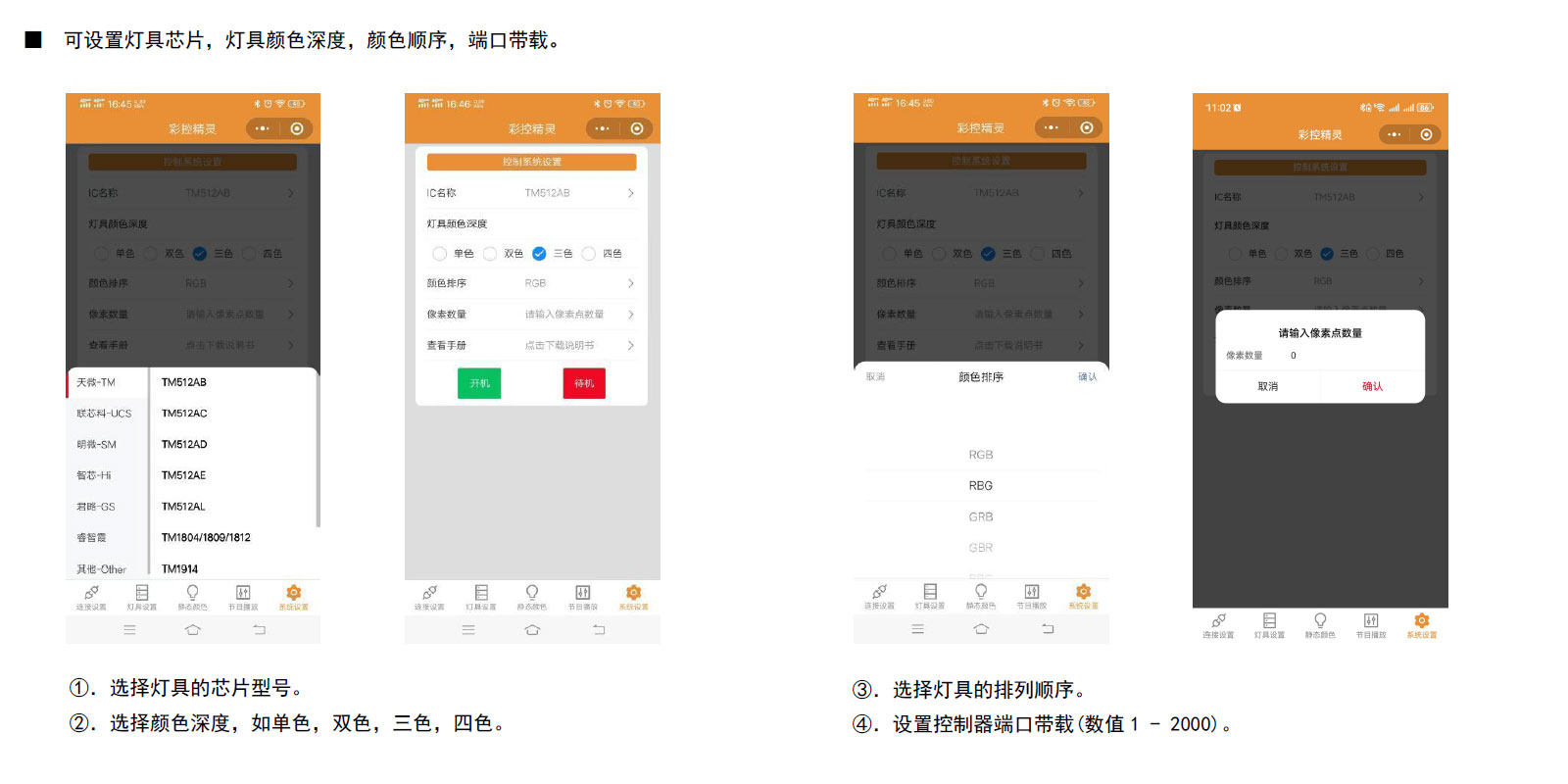
(3). Enter the system settings interface to set the fixture IC model, select fixture color depth, color sorting, and number of pixels.
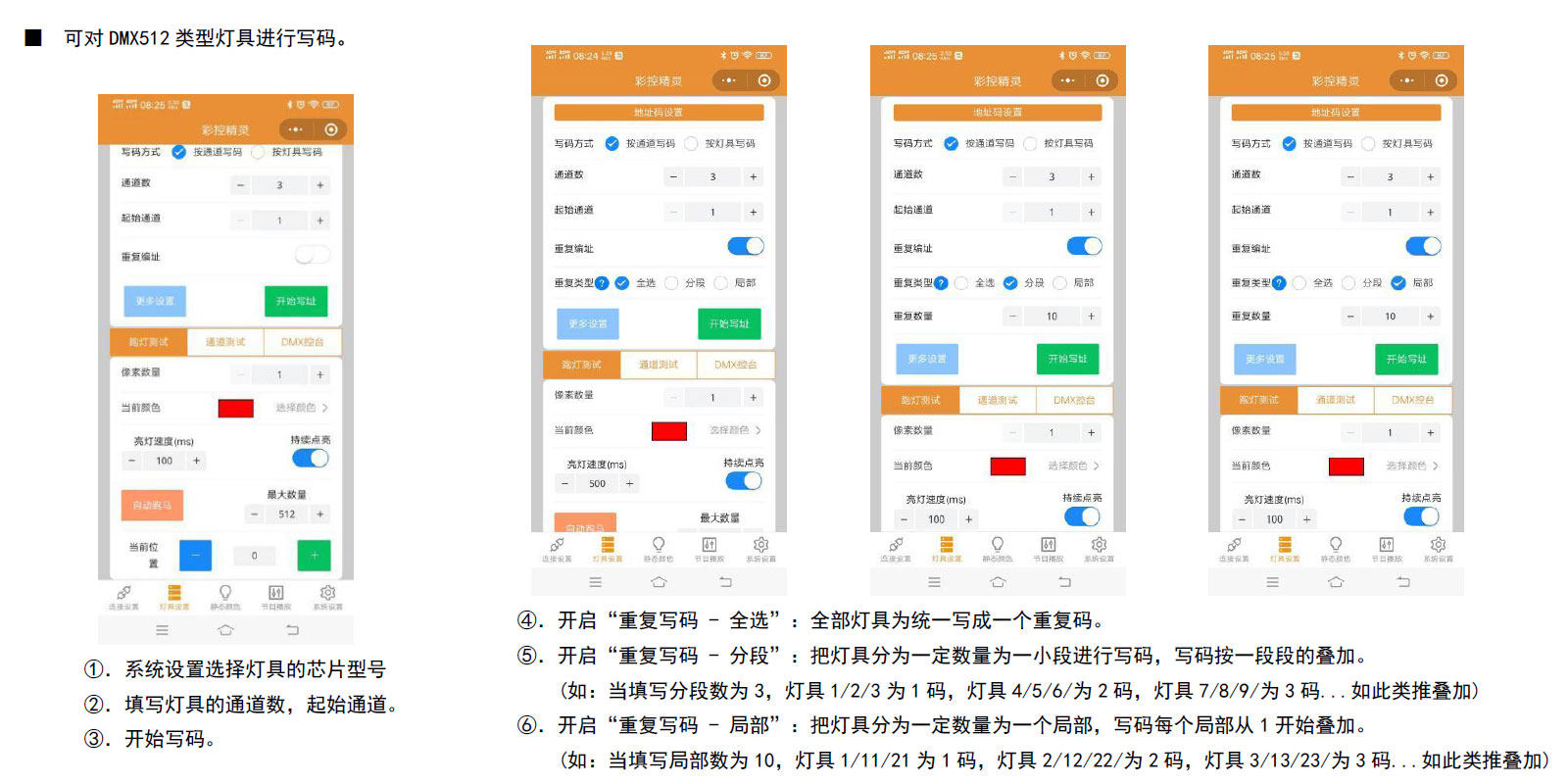
(4). Using lighting fixture settings allows code writing to DMX512 fixtures.
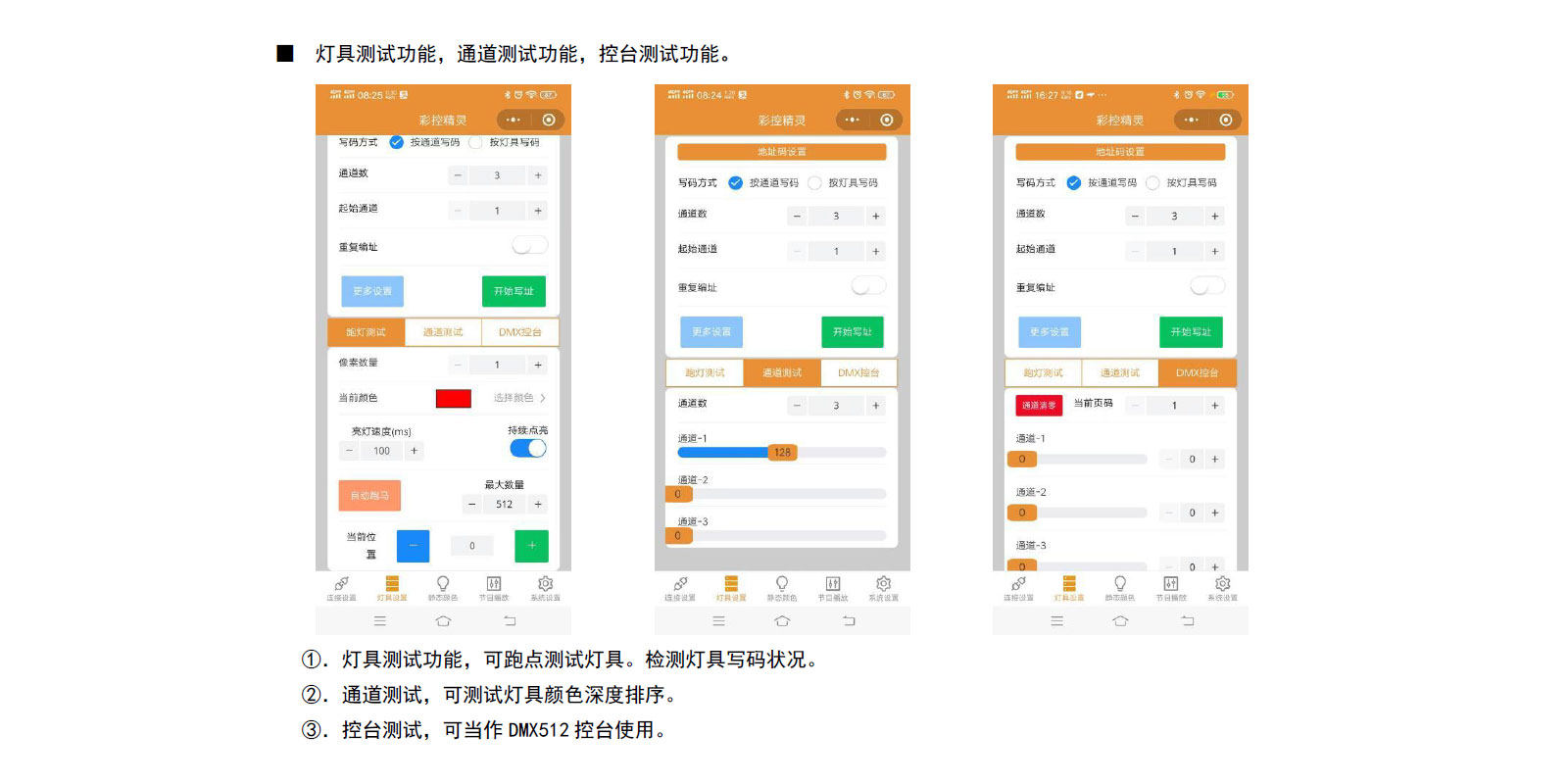
(5). Running light test can check the number of pixels in the current fixture, while channel testing can check the color channel sequence of the fixture.
(6). Supported: static color, built-in effects playback, SD card effect playback.
⑦. DMX Console Function: Can test multiple DMX channels.
Notes:
1. Bluetooth signal transmission distance is generally within 5-8 meters;
2. In system settings, play the previously set effect on startup and output black field during standby.
3. Before powering on, confirm that the required voltage and power of the fixture match the controller settings to avoid damage to the equipment or fixture due to improper operation.
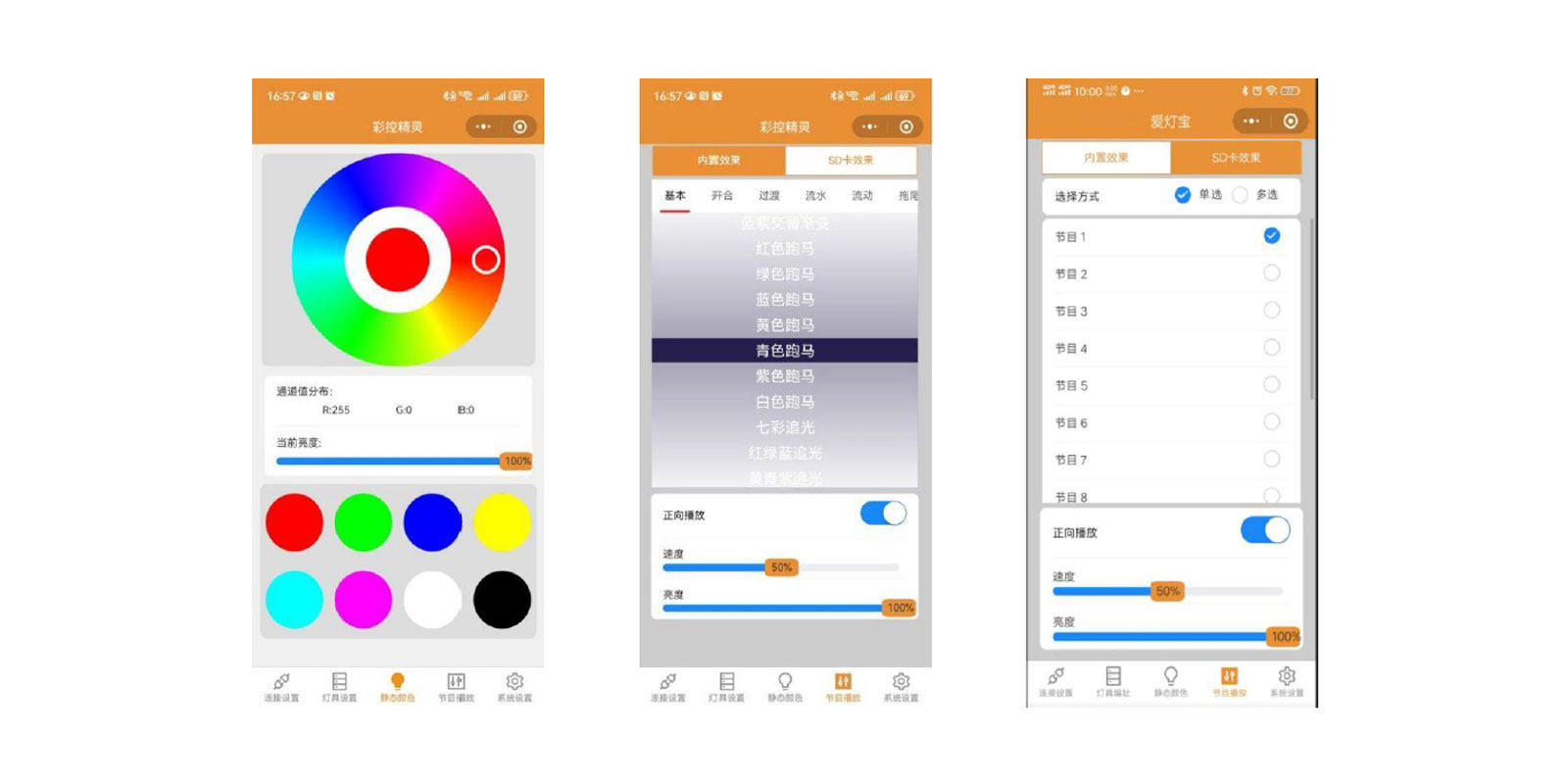
System settings
Code Writing Function: Can write codes for DMX512 type luminaires DMX512 address code writer
The DMX512 address code for AGV light strips is written through the W2000 coding wiring diagram
ADY-W2000-V2
Practical tools: lighting testing functions, channel testing functions, console testing functions, SPI and DMX512 running digital functions.